
User:Mr Biantainne/test4
Jump to navigation
Jump to search


操作指南(操作ガイド?, lit.: "操作指南")是 Pikmin 3 的一个 探索记录 分类。它含有 30 个 记录数据,有关于各种操作的信息。大部分记录数据有 欧力马、路易、总经理、阿尔福、布莉特妮、查理 的图片。其中有 7 个是拾取到的,剩余 23 个是满足特定条件得到的。
Pikmin 3 Deluxe 中某些记录数据的位置不同。
数据文件
移动


Using the Whistle


Throwing


Plucking #1


Plucking #2


Looking Around


Locking On


Dismissing Squad


Charging!


Selecting Pikmin Type


- US Classic controls text: “Select the Pikmin or person you want to throw using
 /
/  /
/  .”
.” - US Stylus mode text: “Press without touching
 or use
  to select the Pikmin or person you want to throw.”
 - Europe Classic controls text: “Select the Pikmin type you want to throw using / / . You can also throw teammates.”
- Europe Stylus mode text: “Press without touching the , or use to select the Pikmin or teammate you wish to throw.”
- How to obtain: Obtained after discovering the Rock Pikmin.
Switching Leaders


- US Classic controls text: “Press
 /
/  / to switch leaders.”
 - US Stylus mode text: “Use the


 buttons on , or
  to switch between leaders.”
 - Europe Classic controls text: “Press / / to switch control to a teammate outside the current squad.”
- Europe Stylus mode text: “Use the icons on the , or press to switch to a teammate outside the current group.”
- How to obtain: Obtained after rescuing Brittany and completing the tutorial of throwing leaders.


Throwing Leaders


- Text: “Throw teammates to places that can't be reached on foot.”
- Pikmin 3 area: Garden of Hope
- Pikmin 3 location: Right outside of where Brittany is trapped.
- Pikmin 3 Deluxe area: Distant Tundra
- Pikmin 3 Deluxe location: Right next to the ledge that a leader must be thrown to, in order to push the iron ball.
Using Ultra-Spicy Spray


- Classic controls text: “Press /
 / to use an Ultra-Spicy Spray and invigorate the Pikmin in your squad.”
 - US Stylus mode text: “Press
 on to use an Ultra-Spicy Spray and invigorate the Pikmin in your squad.”
 - Europe Stylus mode text: “Tap on the to use an Ultra-Spicy Spray and invigorate the Pikmin in your squad.”
- How to obtain: Obtained after discovering the Ultra-Spicy Spray.

Using Ultra-Spicy Nectar

 "Ultra-Spicy Nectar" in the European version.
- US text: “Explorers automatically collect Ultra-Spicy Nectar when they find it.”
- Europe text: “Explorers collect Ultra-Spicy Nectar directly when they find it.”
- How to obtain: Obtained after discovering the Ultra-Spicy Spray.
Using the Dodge Whistle


- Text: “Press
 /
/  / or
/ or  /
/  / to make your Pikmin roll in that direction.”
 - How to obtain: Obtained after returning the Dodge Whistle to the S.S. Drake.
Using the Radar #1


- Pikmin 3 US text: “Slide to scroll through your map and check your surroundings.”
- Pikmin 3 Europe text: “Touch and slide to scroll the map and check your surroundings.”
- Pikmin 3 Deluxe text: “Use
 to check your surroundings.”
 - How to obtain: Comes pre-installed with the Exploration Notes app on the KopPad.
Using the Radar #2


- Pikmin 3 US text: “Touch the compass to toggle the radar's orientation.”
- Pikmin 3 Europe text: “Touch the compass to toggle the Radar's orientation.”
- Pikmin 3 Deluxe text: “Change the radar's orientation in Other Settings in the Options menu.”
- How to obtain in Pikmin 3: Comes pre-installed with the Exploration Notes app on the KopPad.
- How to obtain in Pikmin 3 Deluxe: Found at the start of the cave in Alph's section of day 1.
Using the Radar #3


- Pikmin 3 text: “Review the replay to fine-tune your strategy.”
- Pikmin 3 Deluxe text: “Review the replay with (replay icon) to fine-tune your strategy.”
- How to obtain in Pikmin 3: Comes pre-installed with the Exploration Notes app on the KopPad.
- How to obtain in Pikmin 3 Deluxe: Obtained on the results screen of the first day.
Fruit Finder


- US text: “Display the location of fruit, even in areas you haven't explored.”
- Europe text: “Displays the location of fruit, even in areas you haven't yet explored.”
- How to obtain: Obtained after collecting 10 pieces of fruit.
Go Here!


- Pikmin 3 US text: “On the KopPad's radar, align "Pointer" with your destination and touch Go here to start moving!”
- Pikmin 3 Europe text: “Align "Pointer" on the radar and touch 'Go Here!' to move to that place!”
- Pikmin 3 Deluxe text: “On the KopPad's radar, align (pointer) with your destination and select "Go here" with
 to start moving.”
 - Area: Garden of Hope
- Pikmin 3 location: Past the Crystal Wall right in the base.
- Pikmin 3 Deluxe location: Between Brittany's crash site and the section with Skutterchucks nearby.
Using the Camera


- Pikmin 3 text: “Press
 to snap a photo. Zoom with
  . Press
  to toggle flash.”
 - Pikmin 3 Deluxe text: “Activate the camera via the
 KopPad to snap a photo.”
 - How to obtain: Comes pre-installed with the Exploration Notes app on the KopPad.
Scorch Guard

- Text: “Protects you from fire.”
- How to obtain: Obtained after returning the Scorch Guard to the Drake.
Anti-Electrifier

- Text: “Prevents you from getting zapped.”
- How to obtain: Obtained after returning the Anti-Electrifier to the Drake.
Metal Suit Z

- Text: “Increases the durability of your space suit.”
- How to obtain: Obtained after returning the Metal Suit Z to the Drake.
Dividing Labor #1

"Dividing Labour #1" in the European version.
- Text: “Split into 2 squads to manage your workload more efficiently!”
- How to obtain: Obtained after rescuing Brittany and completing the tutorial on throwing leaders.
Dividing Labor #2

"Dividing Labour #2" in the European version.
- Text: “Split into 3 squads to manage your workload even more efficiently!”
- Area: Tropical Wilds
- Pikmin 3 location: On the other side of the small bridge, it should be right next to a dirt wall and some fragments.
- Pikmin 3 Deluxe location: On the southern part of the main overworld segment of the area, where three leaders are needed, the Data File is after the tree stump.
Escaping

- Text: “Shake /
 / / repeatedly to escape.”
 - Pikmin 3 area: Tropical Wilds
- Pikmin 3 location: On the ledge home to a Swooping Snitchbug and the Dapper Blob.
- Pikmin 3 Deluxe area: Distant Tundra
- Pikmin 3 Deluxe location: At the Pikmin exchange point, next to the Swooping Snitchbug.
Rescuing from Bubbles

- Text: “Knock into Pikmin to free them from bubbles!”
- Area: Garden of Hope
- Location: Near the Citrus Lump found to the left of the bamboo gate.
Rescue Olimar #1

- US text: “Command the Pikmin carrying Captain Olimar!”
- European text: “Command the Pikmin carrying Olimar.”
- How to obtain: Obtained once Olimar is carried.
Rescue Olimar #2

- Text: “The order of responsibility for commanding Pikmin is: Brittany, Charlie, Alph.”
- How to obtain: Obtained once Olimar is carried.
Gallery
Pikmin 3
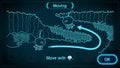 "Moving".
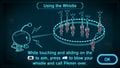 "Using the Whistle".
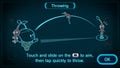 "Throwing".
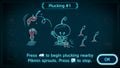 "Plucking #1".
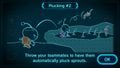 "Plucking #2".
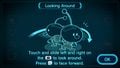 "Looking Around".
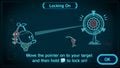 "Locking On".
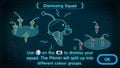 "Dismissing Squad".
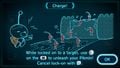 "Charge!".
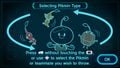 "Selecting Pikmin Type".
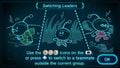 "Switching Leaders".
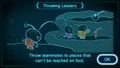 "Throwing Leaders".
 "Using Ultra-Spicy Spray".
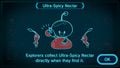 "Ultra-Spicy Nectar".
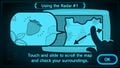 "Using the Radar #1".
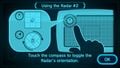 "Using the Radar #2".
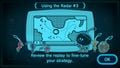 "Using the Radar #3".
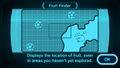 "Fruit Finder".
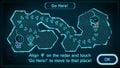 "Go Here!".
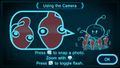 "Using the Camera".
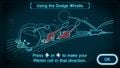 "Using the Dodge Whistle".
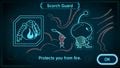 "Scorch Guard".
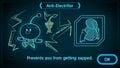 "Anti-Electrifier".
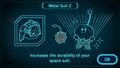 "Metal Suit Z".
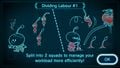 "Dividing Labor #1".
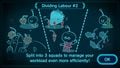 "Dividing Labor #2".
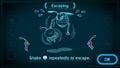 "Escaping".
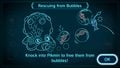 "Rescuing from Bubbles".
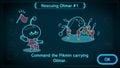 "Rescuing Olimar #1".
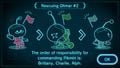 "Rescuing Olimar #2".


Pikmin 3 Deluxe
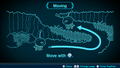 "Moving".
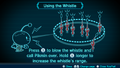 "Using the Whistle".

